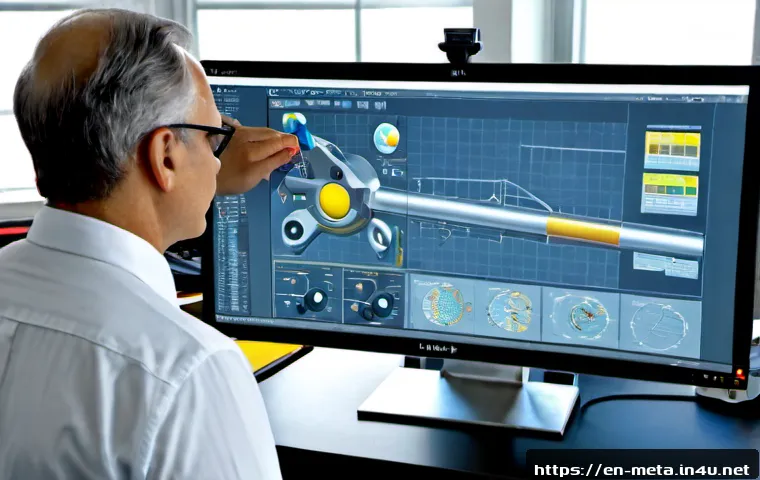
The essential software for metal materials depends on the job: use a materials database for alloy comparison, CAD for geometry and drawings, FEA for defined structural analysis, CAM for CNC machining, and quality tools for traceability.
Most teams do not need every category at once, but they do need reliable data, compatible workflows, and clear ownership of each tool. A small fabrication shop may start with CAD and CAM, while an engineering team handling design validation may add simulation and verified material-property data.
Teams managing certificates, inspections, or laboratory results may also need a quality management or laboratory data system. Compare software subscriptions, license options, support terms, and integration requirements before choosing a platform.
The right purchase is usually the toolset that fits the actual workflow without creating data gaps or unused modules.
At a Glance
- Design teams usually need CAD first, then material data and simulation when validation is required.
- Production-oriented teams typically need approved CAD data, CAM compatibility, and controlled revision records.
- Traceability-focused workflows benefit from quality or laboratory systems for certificates, inspections, test results, and nonconformances.
| Software Category | Primary Use Case | Typical Buyer | Integration Need | License and Cost Factors |
|---|---|---|---|---|
| Materials database | Compare alloy properties and material conditions | Materials engineers, design teams | May need export or connection to design and simulation workflows | Data scope, source quality, named-user or enterprise access |
| CAD software | Create parts, drawings, assemblies, and documentation | Designers, engineers, fabrication teams | File exchange with suppliers, CAM, and product-data workflows | Subscription, perpetual license, modules, support, training |
| FEA simulation | Model structural behavior using defined inputs | Engineering and validation teams | Requires compatible geometry and appropriate material-property inputs | Solver capability, user access, training, implementation |
| CAM software | Convert approved designs into CNC machining instructions | Machine shops and production teams | Must work with CNC equipment and available post-processors | Machine support, post-processors, licensing, operator training |
| Quality or laboratory system | Manage certificates, inspections, test records, and nonconformances | Quality, laboratory, and compliance teams | May connect with engineering, ERP, or laboratory workflows | Users, implementation scope, workflow configuration, support |
The Essential Software Stack for Metal-Material Work
Start with the task, not the software brand
The most useful starting point is a simple question: what decision must the team make? Alloy selection, part design, structural validation, CNC machining, inspection recording, and certificate control are different jobs. A materials database can help compare mechanical, thermal, chemical, and physical properties, but it does not replace CAD documentation. CAD creates the geometry and drawings, while FEA can model behavior under defined loads, constraints, and material-property inputs.
Buying software by brand familiarity can lead to overlapping features or missing workflow links. Instead, map the handoff from material choice through design release, manufacturing, and quality records. That approach makes a software quotation easier to evaluate because the team can identify the required modules, integrations, and user roles before comparing license options.
A practical minimum stack for design, analysis, and manufacturing teams
A design-focused team may begin with CAD software and a dependable method for checking material information. An analysis-focused team may need CAD, material-property data appropriate to the intended condition, and FEA tools operated by people who understand the input assumptions. A manufacturing-oriented team commonly needs approved design data, CAM software, and CNC-compatible post-processors.
For teams that must maintain certificates, inspection records, test results, or nonconformance workflows, a quality management platform or laboratory data system can become a practical addition. The minimum stack is not the same for every shop or engineering group. It should reflect the metal type, manufacturing process, team size, and documentation requirements.
When spreadsheets are sufficient—and when they create risk
Spreadsheets can be useful for a limited internal comparison or a simple project list. They become riskier when teams need controlled material states, shared revisions, inspection evidence, certificate traceability, or repeatable approval workflows. A spreadsheet also does not automatically resolve differences in alloy condition, heat treatment, product form, temperature, test method, or data source.
If a spreadsheet remains part of the process, assign ownership and define which source is approved for final use. Avoid treating a copied property value as a complete engineering decision.
Compare Materials Databases, CAD, Simulation, CAM, and Quality Tools
What each software category is designed to solve
Materials database software supports alloy comparison. It is most valuable when users need to review property categories and understand the conditions attached to available data. CAD software supports part geometry, assemblies, drawings, and manufacturing-ready documentation. FEA simulation software evaluates a model under defined loads, constraints, and material inputs. CAM software turns approved part designs into machining instructions for compatible CNC equipment and post-processors.
Quality management and laboratory data systems serve a different but related purpose: they support traceability of material certificates, inspection records, test results, and nonconformance workflows. They may be less visible than a CAD or CAM purchase, but they can matter greatly where documentation must travel with the material or part.
Comparison table: workflow fit, data needs, users, and buying considerations
The table above is a useful first filter. Next, compare each category against the actual workflow. Ask whether data must move between engineering and production, whether files arrive from outside suppliers, and whether a controlled record is needed after release. A powerful standalone application may still be a poor fit if it adds manual re-entry or incompatible file formats.
For enterprise materials databases, verify what data is available for the relevant alloy conditions and how the source information is presented. For CAD/CAE subscriptions, confirm which design, analysis, or collaboration modules are included. For CAM, check the post-processor and CNC equipment requirements before purchase.
Avoid paying for overlapping features your team will not use
Feature lists can look similar across engineering software platforms. The comparison should focus on required outputs, not maximum capability. A team that only needs drawings and machining preparation may not need advanced simulation modules. Likewise, a team with a focused testing workflow may not need a broad enterprise platform if a smaller quality tool handles the required records.
Ask each vendor which functions are native, optional, or dependent on separate licensing. This helps prevent a low initial software quote from becoming a broader implementation commitment later.
How to Evaluate Cost, Data Quality, and Integration Value
Subscription, license, training, support, and implementation cost factors
Metal-material software may be sold through cloud subscriptions, named-user licenses, concurrent-user licenses, perpetual licenses, or custom enterprise agreements. The comparison should extend beyond the base license. Review module scope, support level, training needs, implementation effort, and any workflow configuration needed for the team.
Exact pricing and included services vary by vendor, region, contract terms, and license type. Request a written quotation that identifies the license model, included modules, support conditions, and any integration work. This makes vendor quotation comparison more meaningful than comparing a single headline figure.
Why verified material data and traceability can matter more than feature volume
More features do not automatically produce better engineering decisions. Material-property outputs depend on alloy condition, heat treatment, product form, temperature, test method, and data source. A database should therefore be evaluated for relevance and traceability, not only for the size of its catalog.
Where certificates, inspections, or testing records are part of the workflow, the ability to identify the approved material state and retain associated records can be more valuable than an extra design feature. Teams should define who verifies the information and when it becomes approved for the project.
File compatibility with CAD, PLM, ERP, CNC, and laboratory workflows
Integration value is often determined at the handoff points. Check how geometry moves from CAD to simulation and CAM, how approved revisions are identified, and how machining instructions align with available CNC equipment and post-processors. If the organization uses PLM, ERP, or laboratory workflows, confirm whether the software can fit the existing process without duplicate entry.
Compatibility should be demonstrated, not assumed. Use representative files and a realistic workflow during a demo or evaluation. A clean sample model is helpful, but it may not expose the naming, revision, or data-transfer issues found in normal work.
Practical Workflow: From Alloy Selection to Production Release
Define the operating environment and material requirements
Begin by recording the operating environment and the properties that matter for the application. Use materials software to compare relevant mechanical, thermal, chemical, and physical information, while keeping the data conditions visible. The aim is not simply to find a familiar alloy name. It is to understand whether the available information matches the intended use.
Validate geometry and loading assumptions before simulation
Before using FEA simulation, confirm that the geometry, loads, constraints, and material-property inputs reflect the defined problem. FEA can model structural behavior under those inputs, but its output depends on them. Treat simulation as part of a controlled validation process rather than a substitute for careful model setup.
Keep the simulation version connected to the approved CAD revision. If the geometry or material state changes, review whether the analysis remains applicable.
Document revisions, certifications, inspections, and approved material states
Before production release, identify the approved part revision, material state, machining information, and relevant quality records. CAM should receive an approved design, then produce instructions suitable for compatible CNC equipment and post-processors. Quality and laboratory tools can help retain certificates, inspection results, test data, and nonconformance records in a traceable workflow.

This does not require one universal platform. It requires a clear process for ownership, revision control, and handoff between people and systems.
Common Selection Mistakes in Metal-Material Software
Treating reference properties as final design approval
Reference properties are useful for comparison, but they should not be treated as automatic final approval. The applicable output can change with the selected alloy condition, product form, heat treatment, temperature, test method, and data source. Keep those variables visible in both the software evaluation and the engineering workflow.
Ignoring alloy temper, product form, and temperature conditions
A material name alone may not provide enough context for a meaningful comparison. Teams should check the state attached to the property output rather than using generic metal data as a universal value. This is especially important when moving from early concept selection to design validation or production documentation.
Buying advanced simulation or CAM modules without trained ownership
Advanced tools need accountable users. FEA requires informed choices about loads, constraints, geometry, and material inputs. CAM requires an understanding of CNC compatibility and post-processors. A module can add cost without adding value if no one owns setup, review, and maintenance.
During a software demo, ask who will use the application, what training is available, and how the team will control output approval.
Selection Criteria and Comparison Summary
Best fit for small fabrication teams
Small fabrication teams often benefit from a focused stack: CAD for controlled drawings and part geometry, plus CAM when CNC machining is part of the workflow. Add a materials database when alloy comparison is a recurring need, and add a quality tool when certificates, inspection records, or nonconformance documentation need better control.
Best fit for engineering teams requiring analysis and material traceability
Engineering teams that require analysis may need CAD, an FEA environment, and material data reviewed in the correct condition. If traceability is important, quality management or laboratory data capabilities should support certificates, tests, inspections, and approved material states. An integrated engineering software stack can be worthwhile when it reduces repeated entry and protects revision handoffs.
Questions to ask during a software demo or vendor quote review
Request a demo using a representative part, material condition, and workflow handoff. Compare license options by user type, module requirement, support scope, and training needs. Check integration requirements for CAD, PLM, ERP, CNC equipment, post-processors, and laboratory workflows. Confirm how material data conditions are identified, how revisions are controlled, and who can approve outputs. Official product pages and vendor quotation documents are the right place to review detailed terms and current license conditions.
Final Thoughts
There is no single essential application for every metal-material workflow. The practical choice starts with the work your team performs, then adds only the tools needed for data, design, validation, machining, and documentation. Reliable handoffs and appropriate material context matter more than an oversized feature list. Compare the full ownership picture before committing to a subscription or enterprise agreement.
Useful Information to Keep in Mind
Materials data: Always review the stated alloy condition and source context.
Simulation: Results depend on defined geometry, loads, constraints, and property inputs.
CAM: Confirm compatibility with CNC equipment and post-processors.
Quality records: Certificates, inspections, tests, and nonconformances benefit from clear traceability.
Important Considerations
Specific metal types, manufacturing processes, regulatory requirements, team sizes, prices, included modules, support levels, and implementation costs must be confirmed for the individual organization. No software category can be assumed to fit every workflow, and reference material data should not be treated as final approval without appropriate review.
Frequently Asked Questions
Q1. What software is most useful for selecting the right metal alloy?
A1. A materials database is the most directly relevant category because it can help compare mechanical, thermal, chemical, and physical properties of metals and alloys. Check whether the available output identifies the alloy condition, heat treatment, product form, temperature, test method, and data source.
Q2. Do small machine shops need CAD, CAM, and materials database software separately?
A2. Not always. A small shop may prioritize CAD for geometry and drawings, then CAM when it needs machining instructions for compatible CNC equipment. A materials database is useful when material comparison is a recurring requirement. Compare license options based on the actual jobs performed rather than assuming every category is required.
Q3. How should a company compare the total cost of metal-material software?
A3. Review the license model, required modules, user access, training, support, implementation work, and integration needs. Exact costs vary by vendor, region, license type, and contract terms, so request a detailed vendor quote rather than comparing only the initial license amount.
Q4. Can simulation software replace physical material testing?
A4. FEA software can model structural behavior using defined loads, constraints, geometry, and material-property inputs. It does not remove the need to consider the suitability and validation of those inputs. Treat simulation results within the team’s established engineering and testing process.
Q5. What should teams check before purchasing an enterprise materials database?
A5. Check the relevance and traceability of the material data, the conditions attached to property outputs, user access needs, export or integration requirements, support terms, and the total license structure. Request a demo with representative materials and check integration requirements with the existing CAD, simulation, quality, or laboratory workflow.